Best FRP Unlock Software for Samsung and Android Phones
Best FRP Unlock Software for Samsung and Android Phones
Imagine you just reset your device and are now stuck on the Google Account verification screen. This security feature protects your device from unauthorized access, but it can become a problem if you don’t know your Google credentials.
In this case, you need an FRP bypass tool, since FRP removal tricks no longer work or take too long. Thus, this guide will compare the 5 best options so that you can decide if Dr.Fone – Screen Unlock (Android) is the right choice.
Part 1. What Is FRP Lock on Android and Why Can It Be a Problem for Users?
Factory Reset Protection is a security feature on Android devices that gets activated after a factory reset. It requires a previously linked Google Account to verify the ownership before you can use the phone again. Although it protects the device, it can become an issue if you don’t know Google details or buy a second-hand phone linked to a previous account.
Part 2. Key Features of a Good FRP Bypass Tool
To start with the FRP Android password remover review, let’s see what the right tool should offer:
| Feature | Why It Matters |
| Brand Support | Works with many Android brands. |
| FRP Success Rate | Improves chances of bypassing FRP. |
| Latest Android Support | Supports newer Android versions. |
| Easy Process | Simple steps for beginners. |
| Fast Unlocking | Removes FRP in less time. |
Part 3. Top Android FRP Removal Tools for All Devices
Like an iPhone unlock tool comparison, this section makes it easier to choose the right option by reviewing 5 reliable FRP removal tools.
- Dr.Fone – Screen Unlock (Android)
With the support for Android 16 and 17 (in its weekly updates), this tool allows you to remove FRP locks from 18 major brands. As the first one to introduce Samsung Android 16 FRP, it supports all major US Samsung models and chipsets. From MTK to Qualcomm, you can also remove FRP from Samsung Galaxy S26 Series and all Samsung Snapdragon devices.
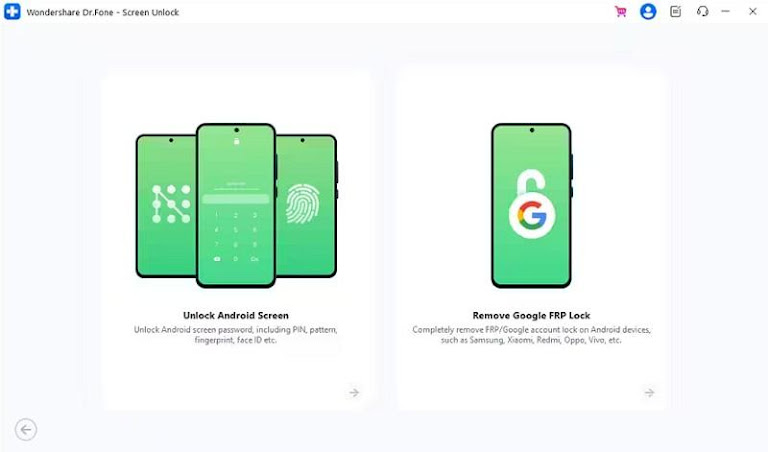
On Android 15 – 17 Beta and all Samsung phones, users can remove FRP online in less than 5 minutes. This just requires you to add the device’s IMEI or SN once you pick the desired models; no personal details are needed. Without any skills, you can use the detailed guide for each model and choose between MediaTek CPU and General Unlocking Method for most Androids.
Key Features
- Smart Recommendation detects device details automatically.
- The guide lists clear tips and prompts for extra safety.
- Accessible on 1-5 mobile devices and 2 PCs.
Guide to Bypass FRP on Android Devices [Xiaomi/Redmi/OPPO]
To know how you can use Wondershare Dr.Fone to remove FRP on most devices, follow the guide provided below:
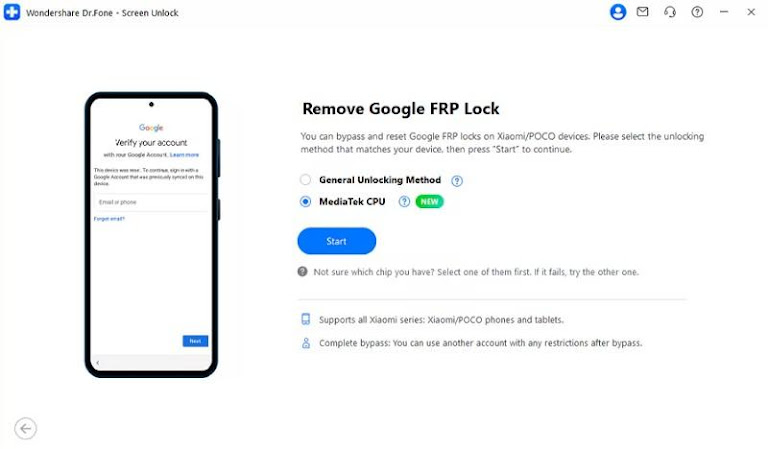
Step 1. Choose MediaTek CPU to Bypass FRP
Select the “Remove Google FRP Lock” option in the “Screen Unlock” tool for Android, then choose the brand and the “MediaTek CPU” method to “Start.”
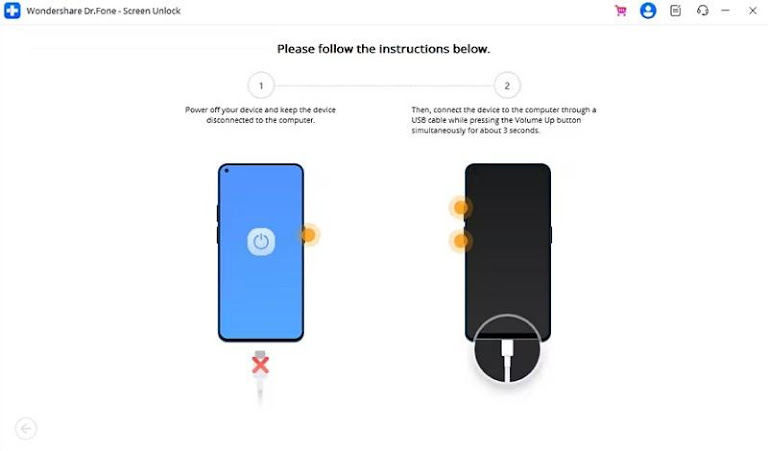
Step 2. Install Firmware and Try Keys
When the tool installs the firmware, press the guided button combination for 3 seconds to bypass FRP.
- Tenorshare 4uKey for Android
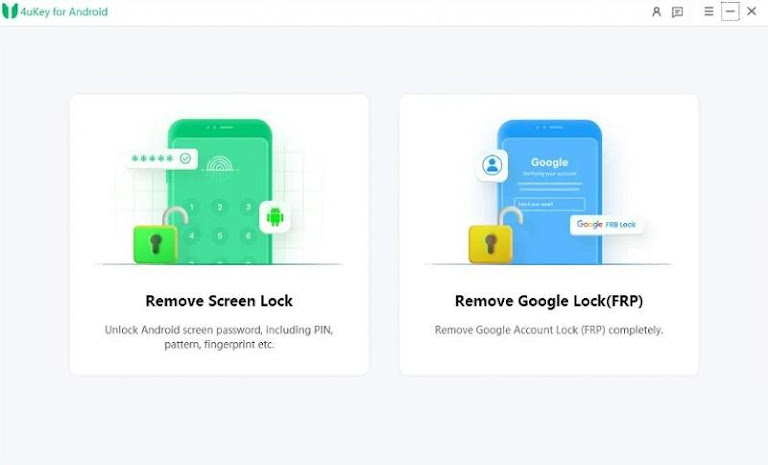
In the 4uKey vs Dr.Fone comparison, you can remove FRP lock from 9 brands, whereas Dr.Fone supports 18. Without any details needed, it can also bypass FRP from Samsung S26/S25 devices, but no support for Android 17 is listed yet. As per the guide, it supports major US models but is limited to Android 13.
Cons
- Offers a complex method to bypass FRP.
- Has no support for various Android brands like Wiko.
- iMyFone LockWiper (Android)
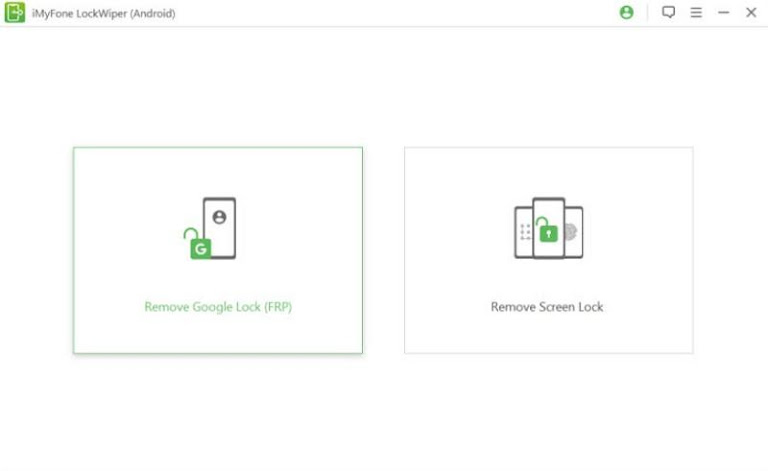
This is another name in the Dr.Fone competitor comparison that lets you bypass the FRP lock on 4 brands. Limited to Android 15, the tool offers 2 models to remove the FRP lock on 1-5 mobile devices. Nonetheless, the Standard Mode won’t change the Android version and only supports Android 7-11.
Cons
- Advanced mode is for Samsung users only.
- Samsung FRP bypass is limited to Android 11 and 12 versions.
- DroidKit by iMobie
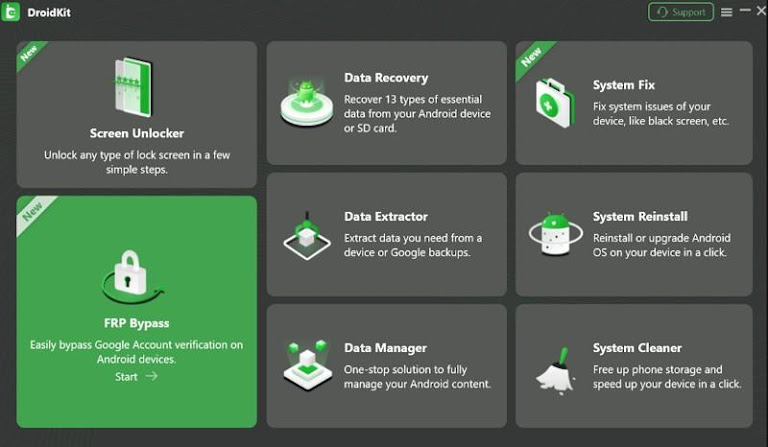
With the support for US models Android 13 and above, this tool can remove the FRP lock from 11 Android phones and tablets. Since it comes with a separate FRP pricing plan, experts say that it has fewer detailed guides. Overall, this best phone unlock software has a simple interface, but FRP removal can take more than 15 minutes.
Cons
- No online FRP removal tool.
- Free versions detect the device only.
- UnlockGo (iToolab)
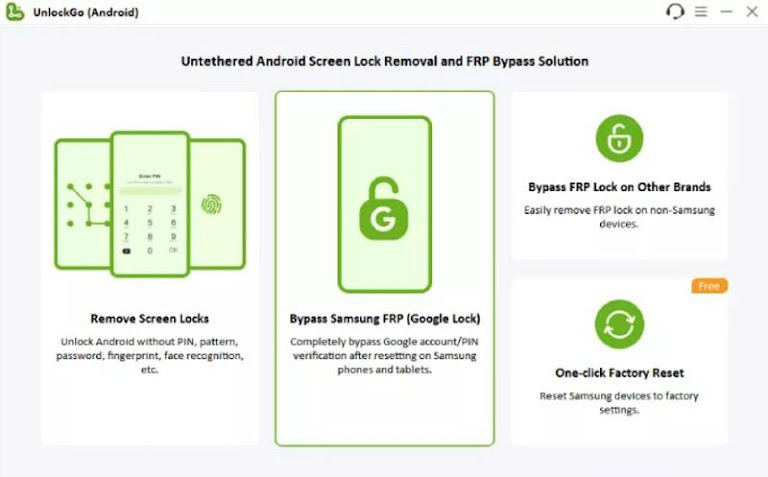
Based on the latest Android password remover review, this tool can remove FRP lock from 11 brands. The versions supported by Samsung range from Android 5 to 16 and are primarily for Galaxy models. Unlike others, it also supports most Samsung US models and chipsets and has separate, detailed guides.
Cons
- Updates are irregular and delayed.
- Accessible on 1-5 devices and 1 PC only.
In this Dr.Fone competitor comparison, if you want to know which tool is best, review the given table:
| Metrics | Dr.Fone – Screen Unlock (Android) | Tenorshare 4uKey for Android | iMyFone LockWiper (Android) | DroidKit by iMobie | UnlockGo (iToolab) |
| FRP Brands Supported | 18 | 9 | 4 | 11 | 11 |
| Latest Android Support | Up to 17 (Beta) | Up to 13 | Up to 15 | 13+ | Up to 16 |
| Online FRP Removal | Yes | No | No | No | No |
| US Samsung Models | Yes | Limited | Limited | Limited | Limited |
| FRP Unlock Speed | < 5 minutes | Moderate | Moderate | Moderate | Moderate |
| Beginner Friendly | Highly | Moderate | Moderate | Moderate | Moderate |
Conclusion
Of all the FRP bypass tools, Dr.Fone – Screen Unlock (Android) is the reliable choice as it can remove FRP lock from 18 Android brands. Moreover, it supports online FRP for major US and other Samsung models and doesn’t require any private details. Additionally, it offers detailed model-specific guides, making FRP removal easier for beginners.
The post Best FRP Unlock Software for Samsung and Android Phones appeared first on Metaverse Post.


You May Also Like

Fed Finally Cuts Interest Rates – Crypto Boom is About to Begin

From Telegram to Terminal: Banana Gun’s Pro Platform Hits Ethereum as User Base Surpasses One Million

Why Africa’s Crypto Crackdown Was a Blessing in Disguise for Stablecoins and Digital Payments